
- Going online
- Reading a request
- Trip history and activity
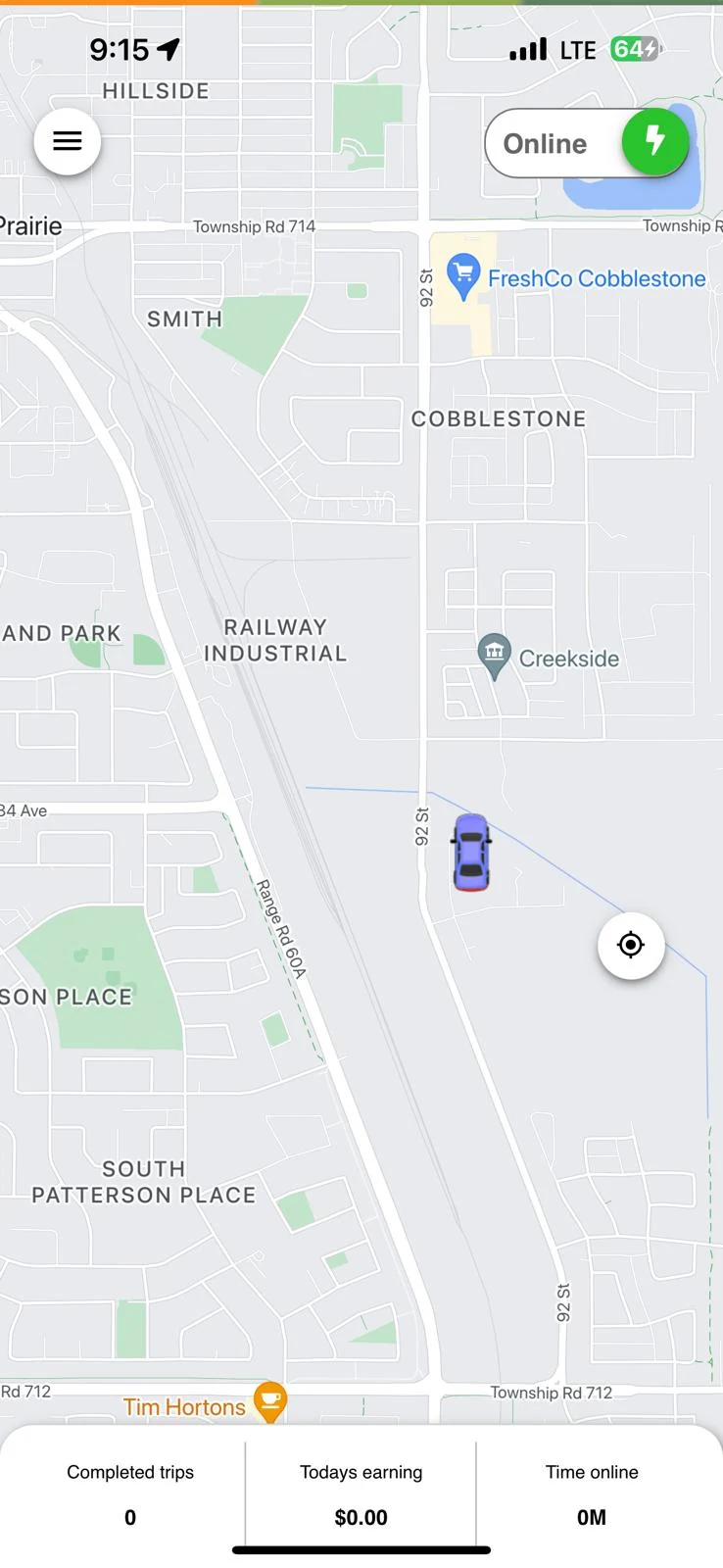
Going online
The online state tells the platform that you are available to receive ride requests. Before going online, make sure your phone has enough battery, notifications are working and you are actually ready to drive.
Being technically online but unable to accept a request creates unnecessary friction.
Reading a request
Take the time to read the request rather than reacting only to the first number on the screen. Pickup, destination, timing and ride information all matter.
For scheduled trips, review the details even earlier so you can plan your position.
Trip history and activity
Completed, current and cancelled trip areas help drivers understand what happened during the day. Use those screens when checking a specific trip rather than relying on memory.
Activity information can also help when you need to explain an issue to support.

Use the app with operations, not instead of operations
The Driver app is a working tool, but it does not replace human judgement or support. When a rider situation is unclear, contact the operations team.
Good technology should make drivers more informed, not more isolated.
Plan driver app around the real journey
WomenFirst Driver app basics: requests, trips and activity is most useful when the plan reflects the actual people, timing and destination involved. Start with the request screen, pickup notes and trip status. Confirm the accepted pickup and the correct rider before anyone is ready to leave, then share the important details with the rider or driver in plain language. This preparation is not about making a simple trip complicated. It is about removing avoidable uncertainty while there is still time to adjust. For this topic, the practical goal is moving each request through the app accurately. Keep the plan realistic for the day, including weather, mobility needs, luggage, children, work commitments or other details that could change how the journey should run.
Check the details that matter for driver app
Before committing to the next step, review request details, navigation and the start-trip control. Look for information that is current and specific rather than relying on assumptions from a previous trip. If something is unclear, pause and confirm it through the app or with WomenFirst support. A good check should also cover activity history and support access. Those details help everyone understand what will happen, who is responsible for each decision and when a change needs attention. In the context of WomenFirst Driver app basics: requests, trips and activity, this creates a calmer experience because expectations are visible early. Save any useful confirmation, keep contact details available and allow enough time to respond if the original arrangement needs to change.
Use driver app step by step
When the journey begins, work through the plan in a calm order instead of trying to solve every detail at once. Start with the request screen, pickup notes and trip status, then verify the accepted pickup and the correct rider. Keep the next decision visible and explain any change in direct language so the people involved know what is happening. During WomenFirst Driver app basics: requests, trips and activity, compare the live situation with the information reviewed earlier. A small change in timing, access or communication can affect the rest of the trip, so update the plan before it becomes a larger problem. The standard to aim for is moving each request through the app accurately. If the available information no longer supports that outcome, use the appropriate support channel and agree on a safe, practical next step.
Build safety and support into driver app
Safety is strongest when it is part of the ordinary process rather than a last-minute reaction. For WomenFirst Driver app basics: requests, trips and activity, make the accepted pickup and the correct rider easy to find and understand. Confirm who should be contacted, what information they genuinely need and what can remain private. Also account for activity history and support access, because a reliable plan includes the details that affect comfort, access and timing as well as the route itself. If the rider, driver or coordinator feels uncertain, stop and check rather than filling the gap with an assumption. WomenFirst support can help clarify a booking or journey, but immediate danger should always be handled through the appropriate local emergency service. Clear boundaries make support faster and help protect everyone involved.
Avoid common gaps in driver app
Problems often begin when a familiar trip is treated as if nothing could have changed. Do not skip request details, navigation and the start-trip control simply because a similar journey worked before. Check current information, allow for realistic delays and make sure the pickup or handoff can be understood by someone who was not part of the original conversation. Another common gap is collecting details without deciding what action they support. Focus on which alerts and screens helped you stay oriented and remove anything that does not help a real decision. If the plan changes, communicate the change once, clearly, through the agreed channel. The practical next move is practising the request-to-completion flow before a busy shift. That is more useful than adding extra instructions that nobody can reliably follow during the journey.
Turn driver app into a repeatable routine
After the journey, note what made WomenFirst Driver app basics: requests, trips and activity work well and what you would change next time. Useful observations include which alerts and screens helped you stay oriented. Keep only the details that make a future decision easier; personal or sensitive information should not be stored unnecessarily. For recurring travel, build a short checklist with the pickup window, essential contact method and the one or two requirements that cannot be missed. The best next action is practising the request-to-completion flow before a busy shift. That gives riders, families, drivers or coordinators a clear starting point without pretending every trip is identical. Review the routine whenever circumstances change so the guidance remains relevant, respectful and practical for the people using it.
WomenFirst
Need help with a ride?
Book through the WomenFirst Rider app or contact our support team if you have a question about a journey.